One tap to open
An easy-to-find icon takes you straight to Player Goals.
PLAYER GOALS · HELP
Keep Player Goals beside your everyday apps. Open your goals, follow the game and revisit your Cards without typing the address each time.
An easy-to-find icon takes you straight to Player Goals.
Keep your plan and your album close before and after the game.
The icon opens the web app. Your access and permissions still apply.
Use this address, rather than the public landing page, when adding the icon.
Illustrations of the steps, not screenshots. Menus vary by phone and browser version.
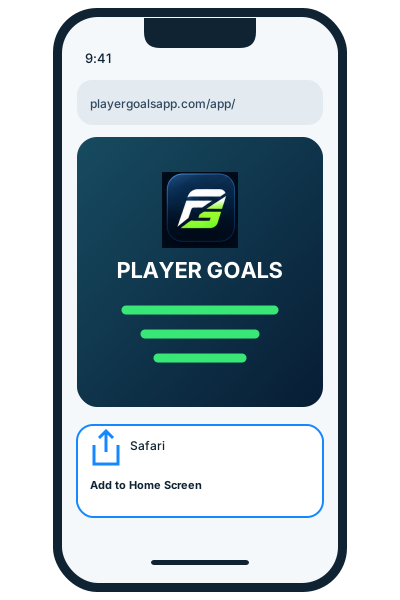
Visit playergoalsapp.com/app/.
Tap the share icon, sometimes inside the browser’s More menu.
Select “Add to Home Screen”. Enable “Open as Web App” if offered.
Keep the name Player Goals, tap Add, then open the new icon.
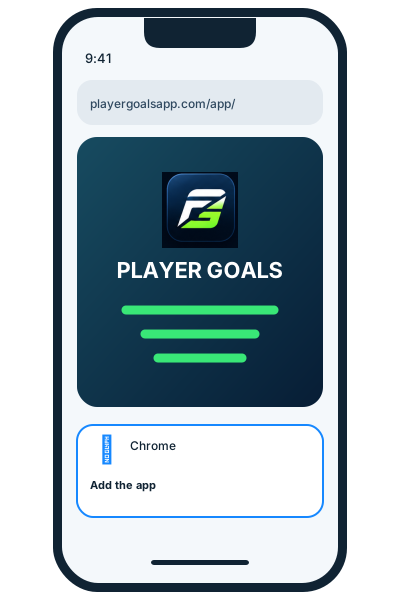
Visit playergoalsapp.com/app/.
Tap the three dots ⋮.
Choose “Add to home screen” or “Install app”, as available.
Follow the prompt, then open the Player Goals icon.
Adding the icon is free. It does not create an account, reopen public signup, buy a plan or grant access. Core features need an internet connection; do not rely on full offline operation. You may need to sign in again. It is a web app, not an App Store or Play Store download.
Open the address directly in Safari on iPhone or Chrome on Android, rather than inside Instagram or WhatsApp. On iPhone, check Edit Actions in the share list if needed. Browser versions and device settings can change the available options.
Official installation instructions: Apple ↗ · Google Chrome ↗